How do I get from a download to a running agent session?
Install and open a project
Muster is a desktop app for macOS. It runs the agent CLIs you already use — Claude Code and Codex — and it does not replace them: you bring the CLI and your own account with its provider.
Before you start
- macOS 12 Monterey or later, Apple Silicon or Intel.
claudeorcodexinstalled and on yourPATH. If you can run one of them in Terminal inside a project folder, you are ready. If you cannot, Muster will tell you so by name when you open a session — see The CLI isn’t on PATH.- A project folder on disk. Muster never copies your code anywhere.
Install
Download the .dmg, drag Muster to Applications, open it. The app is signed and notarised by Apple, so the first launch opens without the unidentified-developer dialog.
The trial is 14 days, starts on first launch, and needs no card. Every feature is in it, including the parallel queue — there is no free tier holding pieces back, because the moment that explains Muster is a task closing on its own, and any limit that delays that moment only delays your decision.
Open your first project
Open a folder. Muster adds it to the project list on the left and reads the tree, ignoring what your VCS ignores.
Nothing runs yet. Muster has not touched a file and has not spent a token.
Open your first session
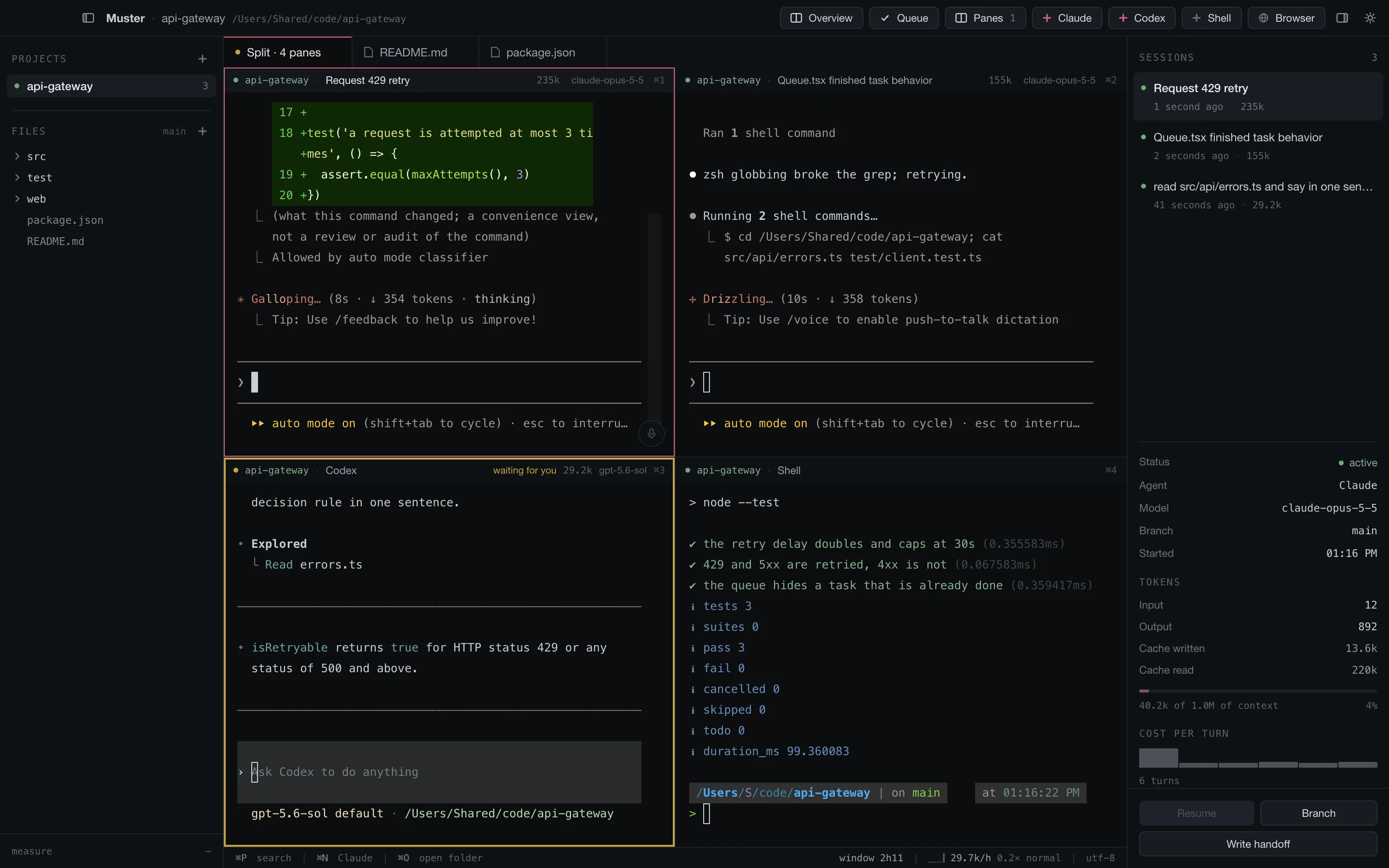
Press ⌘N, or use Claude in the title bar. A real terminal opens in a pane, with the CLI running in your project folder. Type as you would in Terminal — it is the same program, in the same folder, with your own account.
Two things start happening that would not happen in Terminal:
- The session appears on the right, with its model, branch, token use and cost per turn, read from the CLI’s own transcript. Muster makes no model calls of its own; every token is spent by the CLI.
- The session survives closing the app. Reopen it later and it picks up where it stopped.
What next
That is the whole of the first ten minutes. One agent, in plain sight, in a real terminal.
The next page is the one that matters: getting a task to close on its own, with a test command deciding instead of the agent.